博文

Transition ANIMATION 0 1% 2% ..... 100%

图片
/* Transition 0 = 100% ANIMATION 0 1% 2% ..... 100% */ INDEX.HTML: <! DOCTYPE html > < html lang = "en" > < head >     < meta charset = "UTF-8" >     < meta http-equiv = "X-UA-Compatible" content = "IE=edge" >     < meta name = "viewport" content = "width=device-width, initial-scale=1.0" >     < title > CSS Tutorial </ title >         < link rel = "stylesheet" href = "styles.css" >     </ head > < body >     < div class = "transition" > transition </ div >     < div class = "animation" > animation </ div > </ body > </ html > CSS:   /* Transition 0 = 100% ANIMATION 0 1% 2% ..... 100% */ div {     width : 200px ;     height : 100px ;     color : white ;     margin : 10px ; } .transition {     background : red ;     trans...

transition-timing-function:ease linear ease-in ease-out ease-in-out

图片
/* how the transition takes place transition-timing-function: transition:all 3s here 5s; ease = default ease = slow start, fast,slow end linear = same speed start to end ease-in = slow start ease-out =s slow end ease-in-out = slow start, fast, slow end */   INDEX.HTML: <! DOCTYPE html > < html lang = "en" > < head >     < meta charset = "UTF-8" >     < meta http-equiv = "X-UA-Compatible" content = "IE=edge" >     < meta name = "viewport" content = "width=device-width, initial-scale=1.0" >     < title > CSS Tutorial </ title >         < link rel = "stylesheet" href = "styles.css" >     </ head > < body >     < div class = "default" > default </ div >     < div class = "ease" > ease </ div >     < div class = "linear" > linear </ div >     < div class = "ea...

transition-property::after transiton-duration:

图片
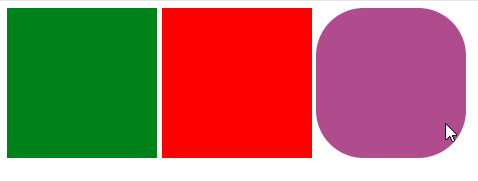
/* transition:change over time transition-property::after transiton-duration: */   INDEX.HTML: <! DOCTYPE html > < html lang = "en" > < head >     < meta charset = "UTF-8" >     < meta http-equiv = "X-UA-Compatible" content = "IE=edge" >     < meta name = "viewport" content = "width=device-width, initial-scale=1.0" >     < title > CSS Tutorial </ title >         < link rel = "stylesheet" href = "styles.css" >     </ head > < body >     < div class = "one" >     </ div >     < div class = "two" >         </ div >     < div class = "three" >         <!-- Hello. This is a DIV element.     -->     </ div > </ body > </ html > CSS: /* transition:change over time transition-property::after...

transform : translate(),scale(),rotate(),skew()

图片
  /* transform : translate(),scale(),rotate(),skew() */ INDEX.HTML: <! DOCTYPE html > < html lang = "en" > < head >     < meta charset = "UTF-8" >     < meta http-equiv = "X-UA-Compatible" content = "IE=edge" >     < meta name = "viewport" content = "width=device-width, initial-scale=1.0" >     < title > CSS Tutorial </ title >         < link rel = "stylesheet" href = "styles.css" >     </ head > < body >     < div class = "one" >     </ div >     < div class = "two" >         </ div >     < div class = "three" >         Hello. This is a DIV element.         </ div > </ body > </ html > CSS: /* transform : translate(),scale(),rotate(),skew() */ div {     width : 150px ;   ...

CSS3 :root 选择器 设置HTML文档的背景色:

图片
  /* :Root root element of the document html element general styles css variables */ INDEX.HTML: <! DOCTYPE html > < html lang = "en" > < head >     < meta charset = "UTF-8" >     < meta http-equiv = "X-UA-Compatible" content = "IE=edge" >     < meta name = "viewport" content = "width=device-width, initial-scale=1.0" >     < title > CSS Tutorial </ title >         < link rel = "stylesheet" href = "styles.css" >     </ head > < body >     < h1 > i'm heading </ h1 >     < p class = "absolute" >         Lorem ipsum dolor sit amet consectetur adipisicing elit. Ullam,         tempore? Nobis nemo pariatur, harum veniam accusamus similique voluptatibus rem alias.     </ p >     < p class = "responsive" >       ...

::first-line ::first-letter :hover :link :visited :hover :active

图片
  /* ::first-line ::first-letter */ /* :hover */ /* :link :visited :hover :active */ INDEX.HTML: <! DOCTYPE html > < html lang = "en" > < head >     < meta charset = "UTF-8" >     < meta http-equiv = "X-UA-Compatible" content = "IE=edge" >     < meta name = "viewport" content = "width=device-width, initial-scale=1.0" >     < title > CSS Tutorial </ title >         < link rel = "stylesheet" href = "styles.css" >     </ head > < body >     < p > Lorem ipsum dolor sit amet consectetur adipisicing elit.         Consequatur vero quasi explicabo soluta beatae         dignissimos aut minima quia, deserunt facere. </ p >     < div class = "header" >         Lorem ipsum dolor sit amet consectetur adipisicing elit.         Eius sa...

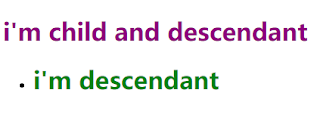
Descendant Child Selectors:

图片
/* Descendant and Child combinators*/   INDEX.HTML: <! DOCTYPE html > < html lang = "en" > < head >     < meta charset = "UTF-8" >     < meta http-equiv = "X-UA-Compatible" content = "IE=edge" >     < meta name = "viewport" content = "width=device-width, initial-scale=1.0" >     < title > CSS Tutorial </ title >         < link rel = "stylesheet" href = "styles.css" >     </ head > < body >     < div class = "header" >         < h1 > i'm child and descendant </ h1 >     </ div >     < div class = "header" >         < ul >             < li >< h1 > i'm descendant </ h1 ></ li >         </ ul >     </ div > </ body > </ html > C...